Links that explain themselves
Paste a URL and Memry fetches the title, preview image and site icon. No more lists of mystery bookmarks.


Memry is the Mac-native home for your links, images, videos, notes, code and files. Organised your way, searchable in an instant and synced privately through your iCloud.


Images, links, notes, code, quotes, posts, repositories and files. Whatever it is, it lands in the same library, looking like itself.
Every card appears the moment you save it, then fills in its own preview, title and details while you carry on.
Memry knows what you've saved, so a repository looks like a repository and a quote reads like a quote.
Paste a URL and Memry fetches the title, preview image and site icon. No more lists of mystery bookmarks.
Stars, forks and language arrive automatically, so you remember why you saved it.

Crisp thumbnails, dimensions and playback right in the library.


Syntax colouring for 19 languages, editable in place.

Plans, lists and ideas, kept right beside the things they're about.

Save a line from a book or a talk, along with who said it.

Brand guides, papers and invoices, previewed without leaving Memry.

Keep a post with its author, or a memo next to the idea it belongs to.


Tags, nested projects and stars keep things findable. The Inbox catches everything you haven't sorted yet, so nothing gets lost.





Start typing and the grid narrows with every letter. Memry looks everywhere you'd hope it would.
Open the inspector to rename, file, tag and annotate anything, and to see exactly what you're looking at.

Keep the snippets you reach for again and again, with real highlighting and the editor you already use.

Choose Memry from the Share menu to keep a page, a picture or a file without switching apps. Add a title, tags and a note as you go.
Open any saved file in the app of your choice. Save it there and Memry brings the changes home.
Start a new document and format it with a panel you'll recognise from Pages. It's a real Word file, so it looks the same wherever you open it.
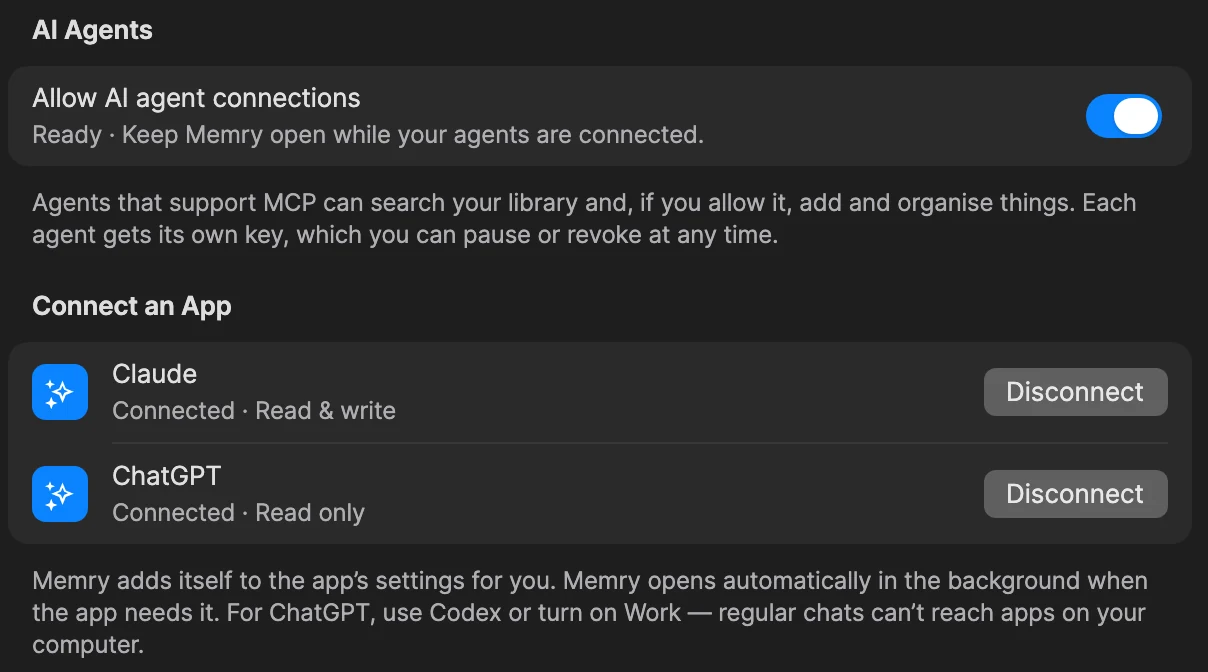
Connect Claude or ChatGPT with one click, then ask about anything you've saved. Let them add notes and todos too, if you'd like.
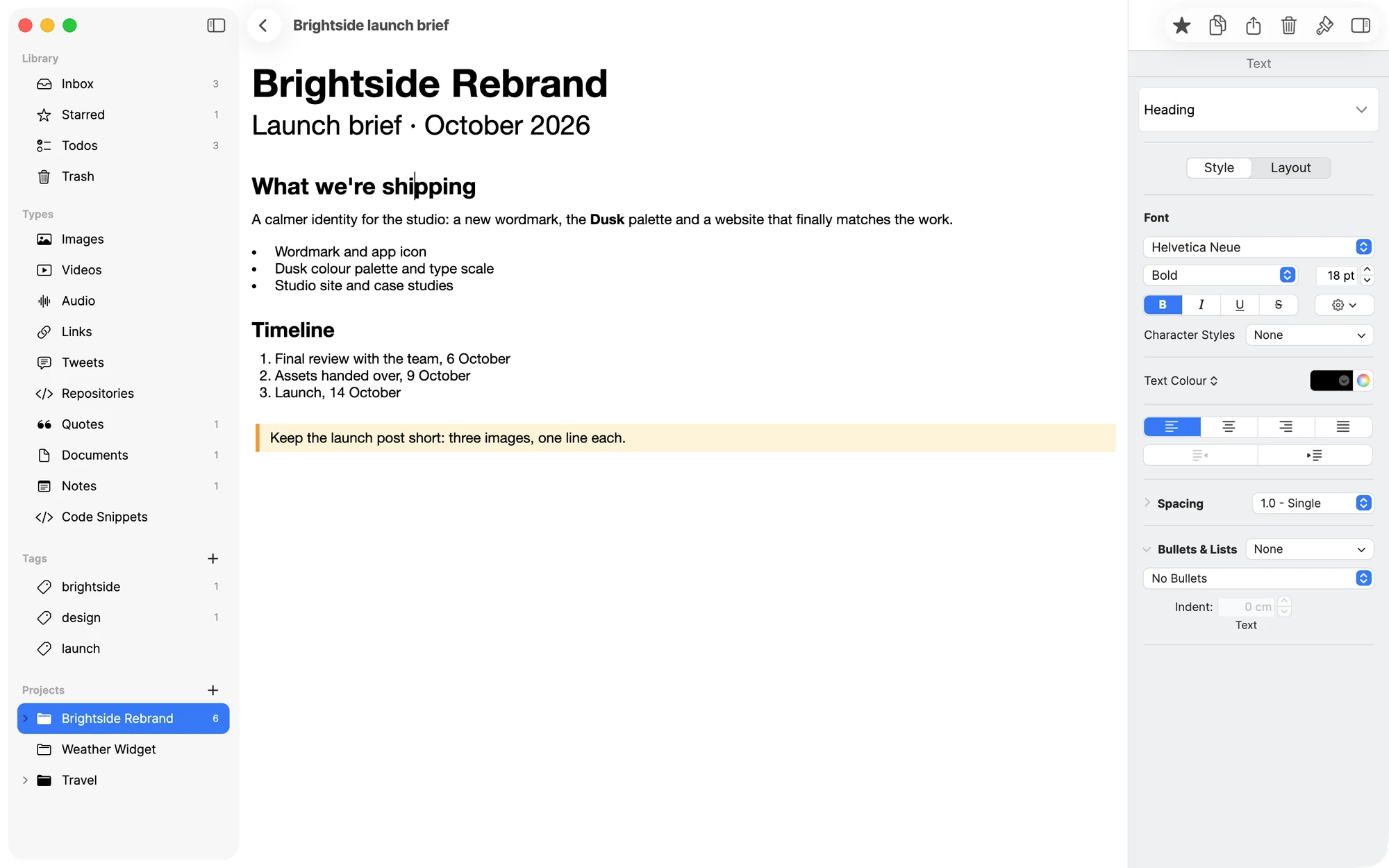
Memry follows your Mac's appearance, or you can choose Light or Dark in Settings. Drag to compare.
Light
Dark
Your library is yours. Memry keeps it on your Mac and in your own iCloud, and an AI agent only sees it if you connect one.
Memry syncs through the private iCloud database tied to your Apple Account. There is no Memry server and no Memry account, so your things never pass through us.
Your library is stored on your Mac first, so it opens instantly and keeps working without a connection. Changes catch up with iCloud when you're back online.
No analytics, no ads and no accounts. Memry doesn't watch what you save.
Export a .memrybackup archive whenever you like. Importing it again never creates duplicates.
Settings shows how much space each kind of thing takes, largest first.
Built with Avalonia and designed for macOS, so it looks and behaves like it belongs on your Mac.
A Liquid Glass sidebar, native menus, the system share sheet and real drag and drop.

Compiled ahead of time for Apple silicon, so it launches quickly and stays light on memory.
Drop a card into Mail, Finder or Keynote as a file, a link or text.
+
Memry checks for new versions quietly and installs them when you say so.

Hide the kinds of things you never save and keep the sidebar calm.
Everything you do often has a shortcut, and they're all in the menu bar where you'd expect.
The short version: it's free, it's private and it's made for the Mac.
Yes. Memry is free to download and use. There's no subscription and no account to create.
A Mac with Apple silicon running macOS 26 Tahoe or later. To sync, sign in to iCloud on each Mac.
On your Mac, and in the private iCloud database tied to your Apple Account when iCloud is on. Memry has no servers of its own, so there's nowhere else for your library to go unless you connect an AI agent.
Yes. Everything is stored locally first. Link previews are fetched when you're online, and any changes you make offline sync once you reconnect.
Images, videos, audio, links, posts from X, GitHub repositories, quotes, PDFs and Word documents, Markdown notes, code snippets and todos. Other files are kept as documents.
Always. Drag cards out as files, links or text, share them to other apps, or create a complete .memrybackup archive from Settings → Data.
Only if you connect them. AI agent access is off until you turn it on in Settings → AI Agents, and each agent has its own key you can pause or revoke. Agents reach your library through Memry on your Mac; what they read is then handled by that agent's service. In ChatGPT, use Codex or turn on Work.
Open System Settings → General → Login Items & Extensions → Sharing and switch Memry on.
Memry checks for new versions automatically and asks before installing anything. You can switch automatic checks off in Settings, or use Memry → Check for Updates… at any time.

Memry is free. It needs a Mac with Apple silicon and macOS 26 Tahoe or later.
Download Memry for Mac Free · No account · Syncs with your iCloud Memry
Memry